
Entity management shouldn’t mean wading through admin, chasing information or jumping between systems. This month, Diligent Entities is introducing new ways to simplify governance workflows and give teams faster access to the information they need — wherever they’re working.
Among these updates is the Entities AI Assistant available in Microsoft Teams, which brings entity information into Microsoft Teams for instant, natural-language access. Alongside it, several AI-powered enhancements help legal and governance teams automate work, improve consistency and spend more time on higher-value priorities.
The Microsoft AI Teams App makes it easier than ever for permissioned users across the organization to get the information they need — without sending routine requests to legal or the corporate secretary. Users can ask natural language questions directly in Teams and receive accurate, up-to-date entity information in seconds.
There’s no training, ramp-up time or new interface to learn. Everything is governed by secure, role-based permissions, ensuring people see only the data they’re entitled to.
This improvement lightens the load on governance teams and help decisions move forward faster.
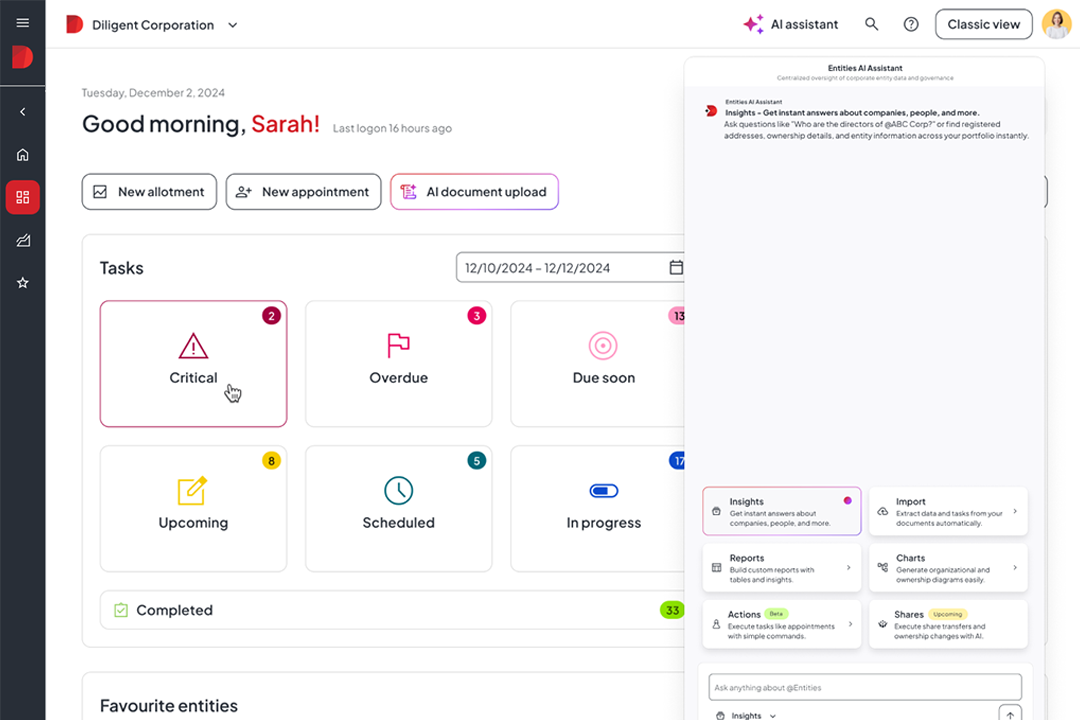
The Entities AI Assistant gives governance teams instant, reliable access to the corporate and individual information they need to keep work moving. Instead of navigating records or running multiple searches, users can simply ask a question and immediately retrieve key details — appointments, directors, shareholders, addresses, upcoming due dates, industry classifications and more.
The assistant pulls only verified, permission‑based data and keeps context across follow‑up questions, making it effortless to dive deeper. With faster access to accurate insights, teams can reduce administrative effort and focus more time on strategic decision‑making and governance impact.
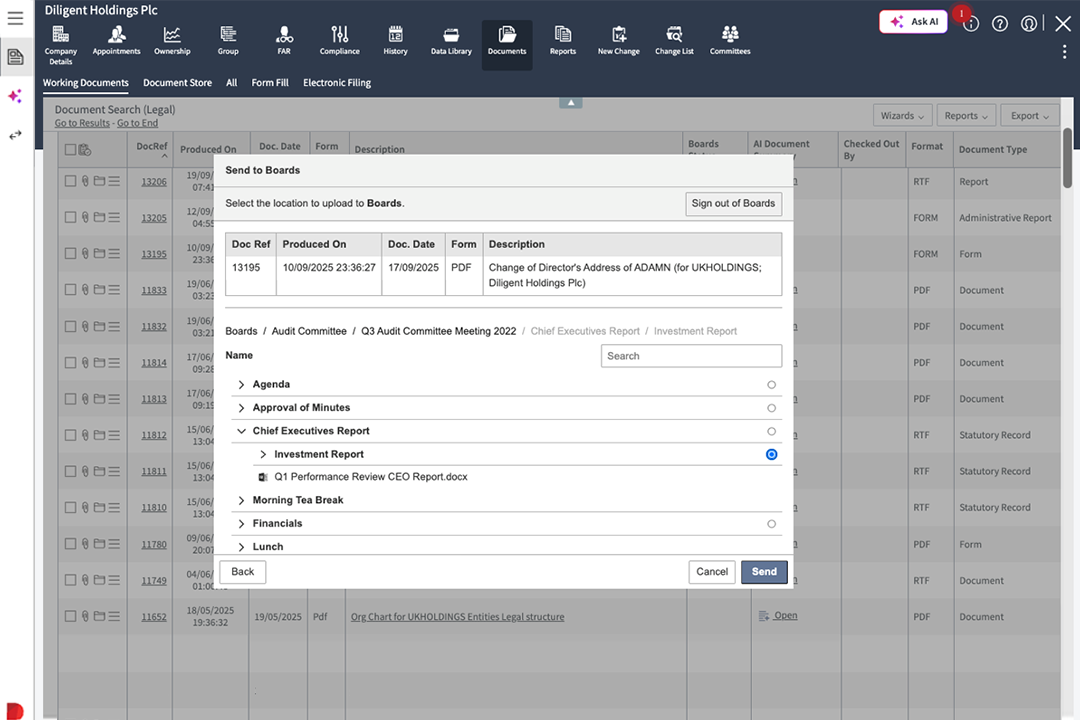
Managing approvals no longer requires switching systems or managing multiple threads. With the integration between Diligent Entities & Diligent Boards, users can publish entity documents and resolutions directly to Diligent Boards and capture every signature and approval in a single, unified workflow. A full audit trail is recorded automatically, reducing risk and providing greater transparency.
This creates a smoother, more reliable governance process with significantly fewer handoffs.
Dense documents shouldn’t slow teams down. Document Summary uses AI to synthesize minutes, resolutions, and company profiles into clear, consumable insights — no downloads required. Key individuals, dates, addresses and entities are surfaced immediately, and documents can be translated instantly when needed.
The result is faster reviews and more informed decision-making, without the administrative overhead.
The updated Entities interface introduces a more intuitive, modern navigation experience that’s easier for users of all levels. A read-only design enhances stability and reduces accidental changes, while built-in AI assistance helps users find information more quickly and confidently.
The streamlined design leads to smoother onboarding and a more predictable, consistent user experience.
Producing clear, well-structured entity charts can be time-consuming — but AI Chart Formatting changes that. Users can describe the type of visualization they want, and the system automatically applies colors, shapes, relationship lines and layout rules to create clean, presentation-ready charts.
It’s a faster way to communicate complex structures and provide leadership with visuals that support better strategic decisions.
Take a look at the video below where I walk through some of our recent updates and highlight the innovations coming next to help you work faster, stay aligned and keep your corporate data accurate.
If you’re a current Diligent customer reach out to your Customer Success Manager for hands-on guidance.
Not a customer yet? Request a demo to see how Diligent can streamline governance for your organization.
All features are available in the Diligent Entities platform today. Some capabilities may require specific packages — reach out to your Customer Success Manager to confirm and activate the right capabilities for you.
Some features, like Teams App access or AI Assistant, may require admin configuration.
Visit our free Entities Training Hub.

How Marsh uses Diligent Boards and Entities
Hear from Jonn Plerchee, a Sr. Corporate Paralegal at Marsh, as he draws on his time using Diligent. Throughout his 19 years of experience, learn about his history of using Diligent Boards for governance and Diligent Entities for entity management — along with the features saving him the most time through it all.